Something wrong? Let's look into it.
Support in French, English and Spanish. The fastest route is knocking on the right door first time — and giving us enough to understand.


Where to ask your question
The bot stopped working after an update
Every Dofus version has its own page: what broke, what was fixed, how long it took.
A question, a bug, an idea
The 「aide」 forum for player-to-player help, 「bug-report」 to report a bug, and the /ticket command for a private thread with the staff.
Billing, subscription, account access
This is personal data: it does not belong in a public channel.

Report a bug
Two ways to reach us
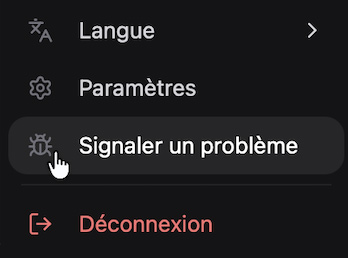
In the app: your portrait, at the bottom of the sidebar, then “Report a problem”. Logs from failed sessions are sent to us automatically along with your message.
On Discord, in 「bug-report」: nothing is attached for you. That is where the list below matters.
Five useful things to include
- Your EZGather version, shown in Settings.
- Your Dofus version, and whether you play on Windows or macOS.
- The sequence, circuit or profession running when it happened.
- What you expected, and what the bot did instead.
- The Journal, or a screenshot, if you report the bug from Discord.
A screenshot does not replace the Log, but the two together are almost always enough.
Response Times
| Channel | Plan | Response time |
|---|---|---|
| Community Discord | Free | No guaranteed delay |
| Priority Discord | Essential | Within 48h |
| VIP Discord | Ultimate | Within 24h, prioritised |
These times apply to human replies. The AI assistant behind the /faq command answers instantly.
Frequently asked questions
Does EZGather work on Dofus Retro or Dofus Touch?
No, and it is not planned: the app is built for Dofus Unity, on Windows and macOS. Dofus Retro's maps, areas and profession tiers have nothing in common with Unity's, and gathering does not work the same way — it would be a different product, with a second reference set to maintain. Same reason for Dofus Touch. In exchange, Unity compatibility is tracked and published with every game update.
Update historyWhich gathering professions are supported?
All five gathering professions: lumberjack, miner, farmer, alchemist and fisherman. You draw the route once on the world map, the app repeats it — travel, gathering, fights taken on or chosen, and bank trips included.
Getting started guide